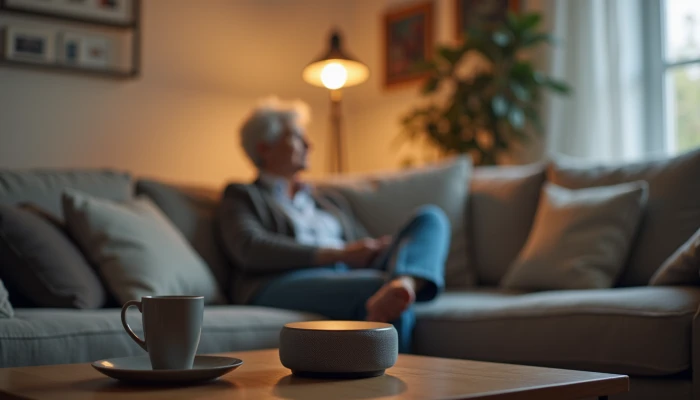
How to Add Smart Home Help Without Making Home Feel Complicated
Smart home tools can support aging at home by making everyday tasks easier and adding another layer of awareness around safety. But for many older adults, the main barrier is not interest. It is complexity.
If a device is hard to learn, easy to trigger by mistake, or adds stress to the day, it may not be helpful no matter how advanced it is. That is why a good setup starts with simplicity, not with the largest number of features.
This guide focuses on practical, beginner-friendly steps. The goal is to help families choose user-friendly devices, introduce them gradually, and connect them with real household needs such as reminders, lighting, emergency contact, and room-by-room safety. Smart tools work best when they support daily routines rather than disrupt them.
Choosing User-Friendly Smart Home Devices
The most useful smart home device is often the one that feels easiest to use on an ordinary day. Research and implementation guidance around older adult adoption commonly point to the same themes: clear controls, simple instructions, and a strong match between the device and the person’s routine.
Start by asking what problem needs the most help right now. For one household, that may be missed reminders. For another, it may be getting help quickly after a fall or turning on lights without walking across a dark room.
Look for features that reduce effort.
- Large, readable displays
- Clear spoken prompts or voice control
- Simple setup steps
- Few buttons and uncluttered screens
- Easy ways for a family member or caregiver to help manage settings
- Alerts that are understandable, not confusing or noisy
Voice-activated tools can be especially helpful because they reduce the need to navigate menus or small controls. Hands-free use may support comfort for people with arthritis, limited mobility, or vision changes. Emergency alert features and fall-related monitoring may also have a place, but they should be presented realistically. They can support response and communication, but they do not remove all risk.
It also helps to think in terms of daily tasks instead of device categories.
| Daily need | A simple smart function that may help |
|---|---|
| Getting up at night | Motion-activated lighting |
| Reaching help quickly | Voice calling or emergency alert connection |
| Remembering routines | Spoken reminders or scheduled prompts |
| Checking doors | Door-open alerts or lock status notifications |
| Reducing extra steps | Central control for lights or thermostats |
Keep expectations grounded. Smart devices can add convenience and support, but they are not a substitute for basic home safety. A bathroom still may need grab bars for seniors, better lighting, and non-slip surfaces. Technology works best when paired with practical changes in the home.
Step-by-Step Implementation for Seniors
A gradual rollout is usually easier than a whole-home setup done all at once. Older adults often do better when they can learn one tool, use it comfortably, and then decide whether the next step feels worthwhile.
A simple implementation sequence can help.
- Pick one clear problem to solve first.
- Choose one device or function tied to that problem.
- Set it up in the room where it will be used most.
- Practice the same task several times together.
- Write down a short set of instructions in plain language.
- Wait a week or two before adding anything else.
For many households, a good starting point is one of these:
- Voice help for reminders, calls, or simple questions
- Automatic lighting in hallways, bedrooms, or bathrooms
- An emergency alert tool with easy activation
- Door or motion notifications for a caregiver when appropriate
Involve the older adult from the beginning. Ask what feels useful, what feels intrusive, and what feels confusing. Adoption tends to go more smoothly when the person using the technology has a say in where it goes, what it does, and how often it alerts.
Use a short home trial checklist during setup.
- Can they use it without reading a manual each time?
- Can they hear or see the alerts clearly?
- Can they repeat the main action on their own?
- Do they know what to do if it stops working?
- Does it reduce effort, or does it create another task?
It is also smart to connect technology to real safety routines. For example, automatic bathroom lighting can support bathroom safety for seniors during nighttime trips. That does not replace physical supports such as shower chairs for seniors or grab bars, but it can make the room easier to use safely.
If a device causes frustration, scale back. A smaller setup that gets used consistently is more valuable than a larger system that feels overwhelming.
Privacy and Security Considerations
Privacy concerns are reasonable, especially when devices collect information about movement, routines, or activity in the home. Many families want the safety benefits of monitoring without making the home feel watched.
One practical approach is to start with the least intrusive option that still meets the need. In many situations, environmental sensors or door and motion alerts may feel more respectful than indoor cameras. This can support awareness while preserving more privacy and dignity.
When comparing options, ask these questions.
- What information does the device collect?
- Who can see that information?
- Can the user turn features off or limit sharing?
- Are alerts sent only to chosen contacts?
- Is there a clear explanation of how data is stored and used?
Older adults are often more open to assistive technology when it feels personalized, preserves independence, and leaves them with some control. That means families should explain the purpose of each feature in plain language instead of installing tools silently in the background.
A simple privacy review can help before setup.
| Question | Why it matters |
|---|---|
| Is a camera truly necessary? | Less invasive options may work just as well for some needs |
| Can settings be adjusted easily? | User control supports comfort and trust |
| Are alerts understandable? | Confusing alerts can create stress and reduce use |
| Is access limited to trusted people? | Fewer viewers can reduce privacy concerns |
Security matters too. Use strong passwords, update devices when prompted, and keep a written list of who has access to the system. If a setup becomes too technical to manage safely, it may be worth asking a qualified installer or tech support professional for help.
The goal is not maximum monitoring. The goal is an acceptable balance between safety, independence, and respect.
Integrating Smart Devices with Existing Home Systems
Smart home tools are often easier to live with when they work through one simple control point instead of several separate apps or remotes. A centralized setup can reduce confusion, especially if one person is helping manage the system from a distance.
Integration does not need to mean a fully automated house. It can be as simple as linking a few functions that support one routine, such as lights turning on at dusk or a spoken reminder happening at the same time each day.
Focus on combinations that make daily life smoother.
- Entry lights that turn on automatically in the evening
- Bedroom lamps controlled by voice instead of hard-to-reach switches
- Thermostat adjustments managed from one main interface
- Door alerts that notify a caregiver only when needed
It is also important to remember that smart devices should fit around existing safety improvements, not compete with them. If a home already has non-slip flooring, better stair lighting, handrails, or bathroom supports, smart tools can complement those changes.
For example:
- Motion lighting can support stair visibility, but it does not replace se railings.
- Voice reminders can support routines, but they do not replace hands-on help when someone needs personal care.
- Smart monitoring can add awareness, but it does not replace a professional home safety assessment when larger risks are present.
Before adding more devices, review compatibility and workload.
| Checkpoint | What to look for |
|---|---|
| One main control method | Voice, one app, or one hub instead of many systems |
| Reliable internet or backup plan | Basic function during outages if possible |
| Clear caregiver access | Shared permissions without confusion |
| Fit with home layout | Devices placed where they solve a real problem |
A good integrated setup should feel quieter, not busier. If the system creates extra alerts, extra charging, or extra troubleshooting, it may need to be simplified.
Conclusion
Smart home tools can support independence when they are introduced thoughtfully and used for clear, everyday purposes. The most effective approach is usually gradual: start with one need, choose one simple function, and build only if it makes life easier.
That approach also keeps the focus where it belongs. Technology is only one part of a safer home. For many families, the strongest plan combines smart tools with practical improvements such as better lighting, safer bathrooms, easier-to-reach controls, and a realistic caregiver plan.
If a device helps an older adult feel more confident at home, use it. If it adds confusion, simplify. The goal is not a high-tech house. It is a home that feels safer, more comfortable, and easier to manage day to day.