How Smart Home Devices Can Support Safer, Simpler Living at Home
Smart home technology can sound more complicated than it needs to be. For many families, the real question is not whether a home should become "smart," but which tools actually make daily life easier and safer for an older adult living at home.
Used thoughtfully, smart devices can support aging at home by reducing small daily obstacles, improving visibility, adding reminders, and making it easier to call for help. They may also help caregivers feel more informed without turning the home into a high-tech project.
The key is to focus on practical value. A useful setup usually starts with a few simple tools that match real needs, such as better lighting at night, easier communication, or faster emergency response. From there, families can decide what is worth adding and what is not.
This guide explains the main categories of smart home devices that can support senior independence, how they can work with medical alert systems, and what to consider before spending money.
Key Smart Home Technologies for Senior Safety
The most helpful smart home devices usually solve ordinary home safety problems rather than trying to do everything at once. For older adults, that often means reducing physical strain, improving awareness, and lowering the chance that a small issue becomes a larger emergency.
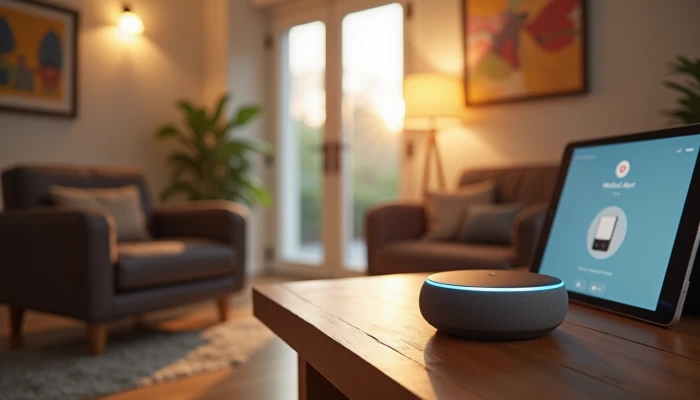
One common starting point is a voice-activated assistant. Examples include Amazon Echo and Google Home. These tools can let a person turn lights on, adjust the thermostat, set reminders, ask for the weather, or place calls using voice commands. That can be especially useful for someone with limited mobility, arthritis, or difficulty getting up quickly to reach a switch or phone.
Lighting is another high-value area. Motion-activated lights in hallways, bathrooms, and near stairs can make nighttime movement easier. Smart bulbs or plugs can also be scheduled to turn on automatically in the evening. This does not guarantee fall prevention at home, but better visibility can reduce one common hazard.
Sensors can also help with risks that are easy to overlook. Water leak detectors can alert the household to plumbing problems before they cause major damage. Smart stove shut-off systems or cooking monitors may reduce the risk of unattended cooking becoming dangerous. These tools are most useful when they fit the person's habits rather than forcing a new routine.
Some devices support safety more indirectly by reducing effort. Smart locks, video doorbells, and automated thermostats can make daily tasks easier and may help an older adult avoid unnecessary trips to the door or repeated bending and reaching.
It helps to think room by room.
| Area of the home | Smart device type | Practical benefit |
|---|---|---|
| Entryway | Smart lock or video doorbell | Easier access and safer visitor screening |
| Hallway or stairs | Motion sensors and smart lighting | Better visibility during movement |
| Kitchen | Stove monitor or shut-off device | Added protection around cooking |
| Bathroom | Motion lighting or humidity/leak alerts | Better nighttime access and earlier warning of problems |
| Bedroom | Voice assistant and bedside smart lamp | Easier calling, lighting, and reminders |
Smart devices should not replace basic home safety steps. In a bathroom, for example, technology may help with lighting or alerts, but it does not replace physical supports such as grab bars for seniors or stable seating like shower chairs for seniors when those are needed. The same is true for other areas of bathroom safety for seniors: smart tools can complement, not replace, practical modifications.
A simple way to choose is to ask which device does one of these jobs:
- Makes a daily task easier
- Improves visibility or awareness
- Speeds up communication in an emergency
- Reduces a specific household risk
- Fits the older adult's comfort level and routine
If a device does none of those clearly, it may add complexity without much benefit.
Integration with Medical Alert Systems
Smart home devices are often most useful when they work alongside a medical alert system rather than standing alone. A medical alert system is still one of the clearest ways for an older adult to request help quickly, whether through a wearable pendant, wrist device, wall button, or home base unit.
Integration can happen in a few different ways. In some setups, wearable alert devices connect with a home base station that supports two-way communication with a monitoring center. In others, wall buttons are placed in higher-risk areas such as the bathroom or bedroom. Some systems can also connect with broader home monitoring features.
Voice control can add another layer. A voice assistant may allow a senior to call a family member, reach a contact, or activate a pre-set routine without needing to find a phone. This can be helpful if hands are full, mobility is limited, or reaching a device is difficult. Still, voice tools depend on being heard clearly and may not work well in every emergency, so they are better viewed as a supplement than a replacement for dedicated alert equipment.
Some households also use motion sensors or activity monitoring to support caregiver awareness. For example, sensors may indicate whether someone has gotten out of bed, entered the kitchen, or moved through the hallway at expected times. This kind of setup can be useful for long-distance caregivers who want reassurance without constant check-in calls. It should be discussed openly so the older adult understands what is being monitored and why.
When comparing options, focus on how quickly help can be requested and who receives the alert.
| Feature | What it does | What to check |
|---|---|---|
| Wearable help button | Lets the user call for help directly | Comfort, battery life, water resistance |
| Home base station | Connects the user to a response center or contacts | Cellular or landline connection, voice range |
| Wall-mounted buttons | Adds fixed help points in key rooms | Placement in bathroom, bedroom, hallway |
| Voice assistant routines | Can call or message contacts hands-free | Reliability, setup simplicity, privacy |
| Sensor-based alerts | Notifies caregivers about unusual activity patterns | False alerts, consent, who gets notified |
Before setting up integration with medical alert systems, families can use this short checklist.
- Confirm who should receive alerts first: family, monitoring center, or emergency services
- Check whether the system uses cellular service, Wi-Fi, or a landline
- Test whether voice commands are easy for the older adult to remember and use
- Place help buttons in rooms where falls or emergencies are more likely
- Review privacy expectations before adding motion or activity monitoring
- Run a test call so everyone knows how the system responds
The goal is not to build a perfect system. It is to create a response setup that is understandable, reachable, and realistic for the person using it.
Cost Considerations for Smart Home Adoption
Cost matters, especially when families are already balancing home repairs, mobility needs, transportation, and care expenses. Smart home adoption does not need to happen all at once. In many cases, a small number of well-chosen devices is more useful than a larger system that is expensive or hard to manage.
Costs usually fall into two categories:
- Upfront costs, such as devices, installation, and setup
- Ongoing costs, such as monitoring subscriptions, cellular service, battery replacement, or app fees
A voice assistant or smart lighting setup may have a relatively modest starting cost compared with larger systems. Medical alert services, however, often involve monthly fees. Some practical guidance also notes that service pricing can vary based on whether monitoring is included, whether the system is home-based or mobile, and whether extra features are added.
It can help to compare smart home spending with the broader costs families may already face when support needs increase. Research and care-cost references commonly point out that in-home care and residential care can become major ongoing expenses. That does not mean smart devices replace caregiving. It means even modest tools that improve communication, reminders, or household safety may be worth considering as part of a larger support plan.
A simple budgeting sequence can keep decisions grounded.
- Identify the biggest current risk or frustration at home.
- Choose one device category that directly addresses it.
- Check for recurring fees before buying.
- Decide whether professional installation is needed.
- Test the setup for a few weeks before expanding.
Families should also ask whether any support may be available through local aging services, health-related programs, or insurance arrangements. Coverage varies widely, so it is important not to assume a device will be reimbursed.
If the budget is limited, prioritize in this order:
- Emergency communication tools
- Lighting and visibility improvements
- Hazard alerts such as smoke, leak, or stove monitoring
- Convenience features such as locks, plugs, or automation routines
This order will not fit every household, but it keeps spending tied to safety and usability first.
The most cost-effective setup is usually the one that the older adult will actually use. A lower-cost device that is simple and reliable may provide more value than a more advanced system with features nobody wants to manage.
Conclusion
Smart home devices can play a useful role in helping older adults live more safely and comfortably at home, but they work best when they are chosen for real daily needs rather than novelty. A few well-matched tools can improve lighting, simplify communication, support reminders, and strengthen emergency response without making the home feel complicated.
They are also most effective when paired with broader planning. That may include a home safety assessment, caregiver coordination, physical home updates, and a medical alert setup that fits the person's routine and abilities.
For most families, the practical path is to start small, test what works, and build from there. That approach respects budget limits, avoids unnecessary complexity, and keeps the focus where it belongs: supporting safety, comfort, and independence in everyday life.