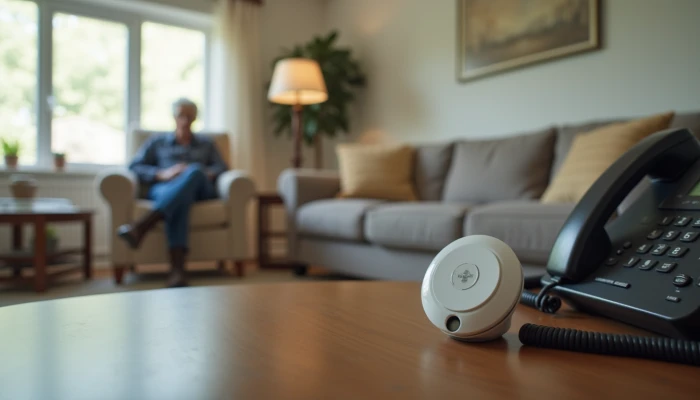
How to Choose a Medical Alert Setup That Fits the Home
A medical alert system can be one part of a safer aging-at-home plan, especially for older adults who live alone or spend parts of the day without someone nearby. But families often run into the same problem: the system categories sound simple, while the real decision depends on the home.
A landline unit, a cellular unit, or a hybrid setup may each make sense in different situations. The right choice depends on how reliable the connection is, where help might be needed inside the home, and whether the person using it will actually wear or reach the device consistently.
This guide compares medical alert systems in practical terms. It focuses on landline system benefits, cellular system limitations, and home-specific installation considerations so you can make a more informed choice without assuming one setup works for everyone.
Key Differences Between Landline and Cellular Medical Alert Systems
The biggest difference between these systems is how they connect an emergency signal to a monitoring center or response contact. That connection method affects reliability, coverage, and where the system is most useful.
Landline systems use a traditional phone connection in the home. In homes that still have a stable landline service, this can be a practical option because the setup is usually straightforward and does not depend on local cellular signal strength. That is one of the clearest landline system benefits: if cellular coverage is weak or inconsistent, a landline-based in-home unit may provide more dependable communication.
Cellular systems use a built-in cellular connection instead of a home phone line. This can be helpful for households that no longer maintain a landline. It can also support more flexible device designs, including some mobile systems. But cellular system limitations matter. If the home is in a rural area, a lower-service pocket, or a building with materials that interfere with signal strength, performance may be less predictable.
Some families assume cellular automatically means better coverage. In practice, it depends on the actual signal inside the home, not just the map for the neighborhood. Thick walls, basements, interior bathrooms, and multi-story layouts can all affect how well the system works where it is needed most.
A simple comparison can help narrow the choice.
| Feature | Landline in-home system | Cellular in-home system |
|---|---|---|
| Main connection | Traditional phone line | Built-in cellular network |
| Useful when | Home has stable landline service | Home has strong indoor cellular coverage |
| Main strength | Less dependent on cellular signal quality | Does not require a landline |
| Main limitation | Requires an active landline | Signal can be weaker in some homes or areas |
| Best fit | Less active users mainly needing help at home | Homes without landlines and with reliable signal |
Hybrid systems may also be worth asking about. These setups can combine technologies or include backup options if one connection fails. They are not necessary for every household, but they can be useful when the home has mixed reliability concerns.
When comparing options, focus less on marketing labels and more on these questions.
- Is there a dependable landline in the home?
- How strong is the cellular signal in the rooms where help may be needed?
- Will the user mainly need protection at home, or also outside the home?
- Is the system range long enough for the full layout of the house and yard?
That last point is easy to overlook. In-home systems often depend on a base station and a wearable button, and the usable range can vary. A setup that works well in the living room may not work as well in a detached garage, basement, or far bedroom unless it has been tested there.
Home-Specific Installation and Usage Considerations
Even a well-matched system can fall short if it is not set up around the home’s real risk points. Installation should start with where the older adult spends time and where a quick call for help may be hardest.
Bathrooms are a common example. Because slips are more likely around wet surfaces, many families think about bathroom safety for seniors at the same time they review emergency response tools. A wearable pendant may help, but some homes also benefit from a wall-mounted help button near the shower or toilet if the system supports it. That should complement, not replace, other safety steps such as grab bars for seniors and shower chairs for seniors when appropriate.
Stairs, bedrooms, and entryways also deserve attention. If the person often moves between floors, check whether the signal remains strong on every level. If they spend long periods in a back room or enclosed porch, test the system there too.
Before finalizing placement, walk through the home with a simple checklist.
- Identify high-risk areas such as bathrooms, stairs, and paths used at night.
- Confirm where the base unit will sit and whether two-way voice communication is clear from nearby rooms.
- Test the wearable or help button in every place the user may need assistance.
- Check whether furniture, appliances, or wall materials seem to weaken signal performance.
- Make sure buttons are easy to reach and devices are comfortable enough to be used consistently.
- Review battery charging or replacement needs so the system stays ready.
Professional installation is not always required, but it can be useful in larger homes or in homes with layout challenges. Guidance on life-safety installation commonly notes that radio-frequency environments change once a home is fully furnished. Furniture, equipment, and room arrangement can affect signal behavior in ways that are not obvious during a quick setup.
That is why testing matters. Do not assume a system works everywhere just because it powers on correctly. Test it from the shower area, from the farthest bedroom, near stair landings, and in any area where the user may be alone for long periods.
A practical sequence can help:
- Choose the connection type based on actual landline or cellular reliability.
- Place the base unit where voice communication is clear and central.
- Test the device in every intended location.
- Adjust placement if signal or audio quality is weak.
- Re-test after furniture is in place and the user has practiced with it.
This home-specific approach is often more useful than comparing features in the abstract. A simpler system that works reliably in the real layout may be safer than a more advanced one that struggles in the rooms where help is most likely to be needed.
When to Seek Professional Guidance
Some homes and caregiving situations justify more than a basic self-setup. If the system will play an important role in the person’s daily safety plan, outside guidance can help confirm that the setup matches the environment.
Consider asking for professional input when the home has multiple floors, thick walls, long distances between rooms, or known signal trouble. These conditions can make both coverage and voice communication less reliable. A provider representative, installer, or qualified local professional may be able to help evaluate placement and identify weak spots.
Professional guidance can also help when caregiving is more complex. For example, if one caregiver is coordinating support for more than one older adult, it may be worth reviewing how alerts are monitored, how contacts are notified, and whether the system can scale without becoming confusing.
Another reason to ask questions is when the family is trying to coordinate a broader home safety plan. Medical alert systems work best as one layer of support, not the only layer. If the person has trouble getting in and out of the tub, poor stair lighting, or cluttered walking paths, those issues still need attention even if an alert button is available.
Use this decision guide to see whether outside help may be useful.
| Situation | Why guidance may help |
|---|---|
| Large or multi-story home | Confirms range, placement, and communication quality |
| Thick walls or weak indoor signal | Helps assess whether landline, cellular, or backup options fit better |
| Complex monitoring needs | Clarifies contacts, escalation, and ongoing use |
| Questions about installation requirements | Helps avoid poor placement or incomplete setup |
Families should also be careful around insurance or regulatory questions. Requirements can vary, and a general article cannot tell you what applies in your area or policy. If coverage, reimbursement, or facility-related rules affect the decision, verify details with the relevant provider or local authority rather than relying on assumptions.
The goal of professional guidance is not to make the process complicated. It is to reduce guesswork when the home or care situation has enough variables that a quick plug-in setup may not be enough.
Conclusion
Choosing between landline and cellular medical alert systems is really about fit. The better option depends on the home’s connection reliability, the user’s routines, and whether the system works in the places where help may actually be needed.
For some households, the main advantage of a landline setup is stable in-home connectivity. For others, a cellular system makes more sense because there is no landline to use. In either case, it is worth testing the system room by room and thinking through real daily use instead of choosing based on features alone.
It also helps to remember that emergency response tools are only one part of senior home safety. Pairing a medical alert setup with practical improvements such as better lighting, reduced trip hazards, grab bars, and other home modifications for seniors creates a more complete aging in place plan.
No single system is right for every home. A careful match between the device, the layout, and the person using it is what makes the setup more useful.