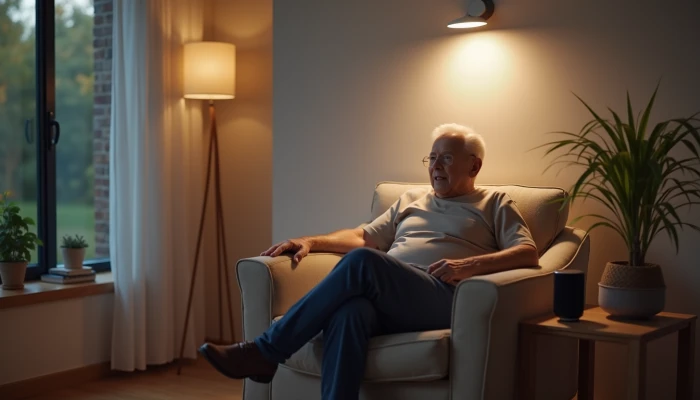
Balancing Privacy and Safety at Home Monitoring for Elderly Parents
Helping an older parent stay safe at home can raise a hard question: how do you keep an eye on important risks without making them feel watched all the time?
That tension is common in aging at home planning. Families may worry about falls, missed routines, wandering, or emergencies. At the same time, older adults may reasonably want privacy in their own home, control over who sees their information, and a say in what gets installed.
A respectful monitoring plan usually works better than a more intrusive one. Research and implementation guidance on smart home monitoring for older adults consistently point to the same themes: autonomy matters, privacy concerns are real, and acceptance improves when people understand what a system does, why it is there, and who can access the information.
This guide walks through practical ways to balance safety and dignity, starting with consent, then moving to non-video options, installation choices, and ongoing communication.
Consent Considerations for Home Monitoring
Before installing anything, start with a conversation, not a device. Monitoring can affect how an older parent feels in their own home, so it should be discussed openly whenever possible.
A useful starting point is to explain the goal in plain terms. For example, the purpose might be faster awareness of unusual activity, help with caregiver planning, or extra reassurance for a parent living alone. Framing the system as support rather than surveillance can make the discussion more respectful and more productive.
Try to cover these points together:
- What problem the monitoring is meant to address
- What type of information will be collected
- Who will be able to see alerts or data
- When the system will and will not be used
- Which features your parent does not want
Consent is not all-or-nothing. A parent may agree to door sensors but not cameras, or motion sensors in hallways but not in bedrooms. That kind of partial agreement can still create a safer setup while preserving dignity.
If everyone is comfortable, it can help to write down the agreement in simple language. This does not need to be formal legal advice. It can just be a shared record of boundaries, such as:
- No cameras in private rooms
- Only two family members receive alerts
- Settings will be reviewed monthly
- The parent can ask for changes at any time
This approach respects autonomy and reduces misunderstandings later. It also helps families avoid adding more monitoring than is actually needed.
If a parent has memory or cognitive concerns, the conversation may need to be repeated over time and handled with extra care. In those situations, it may also be appropriate to involve a qualified clinician or care professional for guidance on communication and decision-making support.
Non-Video Monitoring Options for Privacy Protection
Many families assume home monitoring means cameras. It does not. In many cases, non-video tools can provide useful safety information with much less privacy impact.
These options are often a better first step:
| Monitoring option | What it can help with | Privacy tradeoff |
|---|---|---|
| Motion sensors | Noticing movement patterns in hallways or living areas | Lower intrusion because no images are captured |
| Contact sensors | Tracking whether doors, windows, or cabinets open | Limited data, focused on activity rather than observation |
| Water leak sensors | Alerting to leaks near sinks, toilets, tubs, or appliances | Very low privacy impact |
| Bed or chair occupancy sensors | Noticing routine changes such as getting up or not returning | More personal, but still less intrusive than video |
| Wander alerts or GPS tools | Supporting safety when someone may leave home unexpectedly | Helpful in some situations, but requires clear discussion about tracking |
Motion and contact sensors can be especially useful for basic reassurance. They may show whether a parent is moving through the home normally, whether an exterior door opened at an unusual time, or whether a daily routine seems off.
Water leak sensors are another practical option. They do not monitor a person directly, but they can support bathroom safety for seniors and kitchen safety by alerting caregivers to leaks or overflows that could create slip hazards or property damage.
For families supporting someone with confusion or wandering risk, location-based alerts may be considered. These tools can be helpful, but they deserve especially careful consent discussions because they track movement beyond the home.
A good rule is to start with the least intrusive tool that could reasonably address the concern. If a hallway motion sensor and a door sensor provide enough reassurance, there may be no need to add video at all.
Monitoring should also be seen as one part of a broader safety plan. For example, if falls are a concern, simple home changes such as better lighting, clutter reduction, and grab bars for seniors in appropriate locations may support safety without collecting any personal data.
Privacy-Preserving Installation Practices
Where and how you install a system matters almost as much as what you install. A privacy-preserving setup limits unnecessary data collection and keeps the home feeling like a home.
One practical approach is to map the home by privacy level before installation.
| Area | Typical monitoring approach |
|---|---|
| Entryways, hallways, living room | Often suitable for basic sensors |
| Kitchen, laundry area | Often suitable for leak or appliance-related alerts |
| Bathroom | Avoid cameras; consider indirect safety supports instead |
| Bedroom | Use extra caution; only add monitoring if clearly needed and agreed to |
In general, common areas are better candidates for sensors than private spaces. Bathrooms and bedrooms deserve the highest level of restraint. Avoid cameras in these areas. Even outside those rooms, think carefully before adding any device that captures images or audio.
Storage choices matter too. Some implementation guidance notes that local storage can reduce exposure compared with sending everything to cloud services. That does not remove privacy risk entirely, but it can reduce how widely data is shared or stored. If cloud services are used, review account access, passwords, and sharing settings carefully.
Use this simple installation checklist before turning a system on:
- Confirm the purpose of each device
- Remove any device that does not solve a clear problem
- Place sensors in the least private area that still works
- Disable features you do not need, such as audio or continuous recording
- Limit app access to only the people who truly need it
- Test alerts so everyone understands what is being shared
It also helps to avoid over-monitoring. A home with too many devices can create stress, false alarms, and a sense of constant observation. In many cases, a small number of well-placed sensors is more respectful and more manageable than a complex setup.
Remember that technology is only one layer of support. A safer home may also include non-digital changes such as improved lighting, se rugs, and accessible fixtures. Those changes can reduce risk while preserving privacy.
Addressing Privacy Concerns Through Communication
Even a well-chosen system can create tension if expectations are unclear. Ongoing communication is what turns monitoring from a source of conflict into a shared support plan.
Start by setting boundaries around access. Older adults may feel more comfortable if they know exactly who can view data, receive alerts, or change settings. In some studies, privacy concerns were lower when people understood that information would be limited to trusted family members or caregivers rather than broadly shared.
It helps to agree on a few basic rules.
For example:
- Who receives alerts after hours
- Whether siblings all have access or only one point person
- How long data is kept
- What happens if the parent wants a feature turned off
- When the family will review whether the system is still appropriate
Regular check-ins matter. A monitoring setup that felt acceptable at first may later feel too intrusive, or it may no longer match the parent’s needs. Schedule simple reviews, such as once a month or after any major health or household change.
During those reviews, ask practical questions:
- Does this system still feel respectful?
- Are the alerts useful, or mostly noise?
- Is any device collecting more information than necessary?
- Does your parent want any settings changed?
Be prepared to scale back as well as add. Respectful monitoring is flexible. If a parent dislikes a feature, see whether a simpler option can meet the same goal. If a concern grows, add support gradually rather than jumping straight to the most intrusive tool.
Communication should also include what monitoring cannot do. It may help with awareness, but it does not guarantee safety, prevent every fall, or replace hands-on help when that is needed. Being honest about limits protects trust and helps families make more balanced decisions.
When monitoring is transparent, adjustable, and tied to a clear purpose, it is more likely to support independence rather than undermine it.
Conclusion
The most respectful home monitoring plans do not begin with maximum surveillance. They begin with a clear goal, a conversation, and a willingness to choose the least intrusive option that still helps.
For many families, that means starting with consent, using non-video tools when possible, placing devices carefully, and reviewing the setup regularly. Those steps can support safety while protecting dignity and independence.
If you are helping a parent age in place, think of monitoring as part of a larger home safety plan rather than the whole plan. Technology can add useful awareness, but trust, communication, and thoughtful home changes are what make the system feel supportive instead of invasive.